Whoop alternative for iPhone: your Amazfit Helio Strap, read directly

Last updated: 1 September 2026 · The direct link has shipped in version 1.7. How it works and what we verified is below.
People searching for a Whoop alternative are rarely looking for another strap. They are looking for what comes out of it: a recovery score that fits them, an honest reading of their sleep, and a daily strain figure they can steer training by — just without device and membership being chained together.
So LeibFit takes the other route: you bring the hardware — an Apple Watch or an Amazfit band such as the Helio Strap — and the app does the maths on your iPhone. No account, no cloud. And for Amazfit bands, 1.7 removed the last detour: LeibFit talks to the band directly.
The problem the direct link solves: Amazfit data used to depend on the Zepp app
An Amazfit band measures cleanly at night — the values just did not arrive on their own where an analysis app can read them. The chain used to be: band → Zepp app → Apple Health → LeibFit. And one link in that chain was waiting for you — exactly the link the direct link now skips.
- The transfer needed you. Zepp reliably writes to Apple Health only when you open the app. Background syncing happens, but not dependably — and at seven in the morning that is the difference between “recovery score is there” and “no data”.
- HRV did not arrive as a night measurement. Since the firmware update that lets the Helio Strap write HRV to Apple Health at all, typically only three to four values per day land there instead of the continuous overnight series — which matches both our own measurements and independent reviews. For a recovery score that compares night with night that is the wrong resolution; any score built on a feed that sparse gets shaky.
- You would not notice. Missing values look like a bad day for the app, not like a missing sync. That was the genuinely annoying part — and the reason we removed the detour instead of just adding a reminder.
Zepp not syncing to Apple Health — what actually helps
Before LeibFit comes into it, the honest order of things: when values are missing today, it is almost always the chain itself, not the analysis app. Zepp is a relay — first the app pulls the data off the band over Bluetooth, then it writes to Apple Health. If step one does not happen, step two cannot. What helps, in order:
- Check the Zepp app first. Are today's steps in there? If not, the data is still on the band — and no permission in the world changes that.
- Sync by hand. Open Zepp, pull down on the home screen and wait until the sync finishes. Only then does Zepp write to Apple Health.
- Re-grant permissions. In Zepp, switch the Apple Health data types off, force-close both apps, reopen Zepp, switch the types back on and confirm the iOS prompt again.
- Mind the direction. The sync runs one way only: Zepp to Apple Health, not back.
That is the full answer to “Zepp is not syncing” — and at the same time the reason for everything else on this page. Because even with everything set up correctly, one step still needs a human: opening the app. That is exactly the step the direct link removes.
How LeibFit solves it: straight over Bluetooth, at night, without you
Instead of waiting for the manufacturer app, LeibFit has collected the values itself since 1.7. Four steps, each of them verifiable.
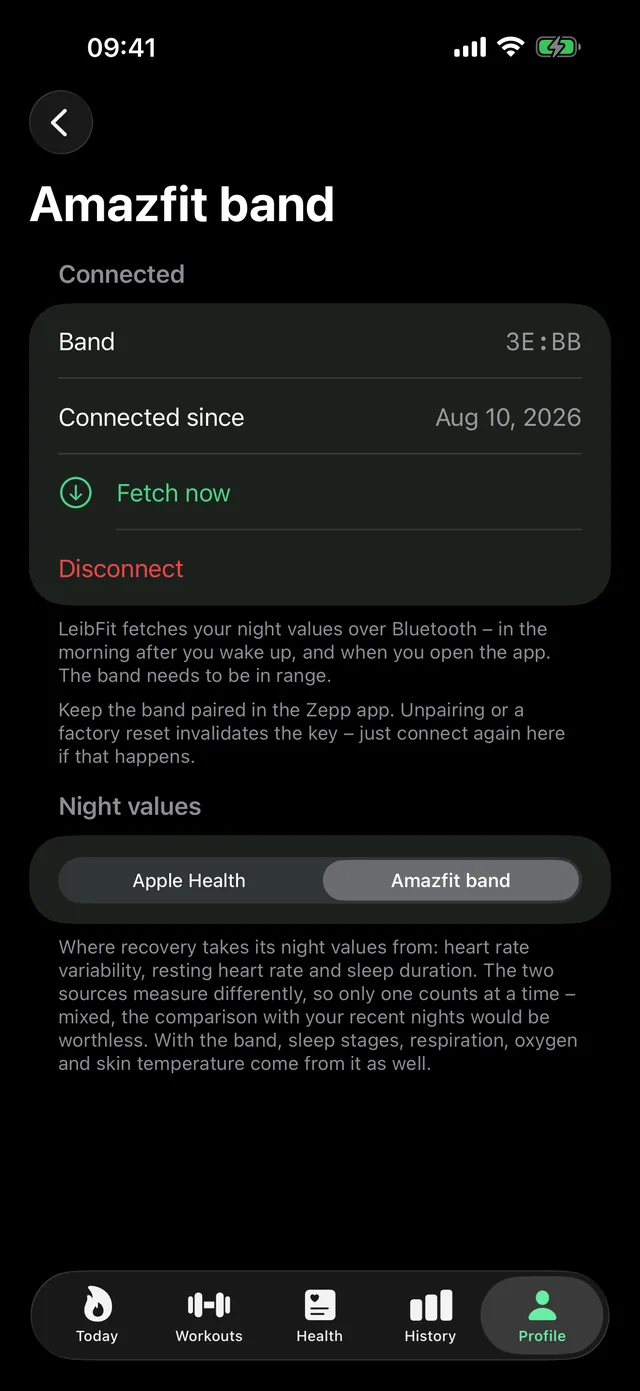
- Connect once, without a password. LeibFit shows you Zepp's own sign-in page. Your credentials go to Zepp's servers only — LeibFit never sees them. What comes back is the device key for your band, and it goes into your iPhone's keychain.
- At night the app collects the data. A short Bluetooth fetch on a hard time budget: connect, authenticate, ask, hang up. No permanent stream eating your battery — live heart rate belongs in a workout, not in the night.
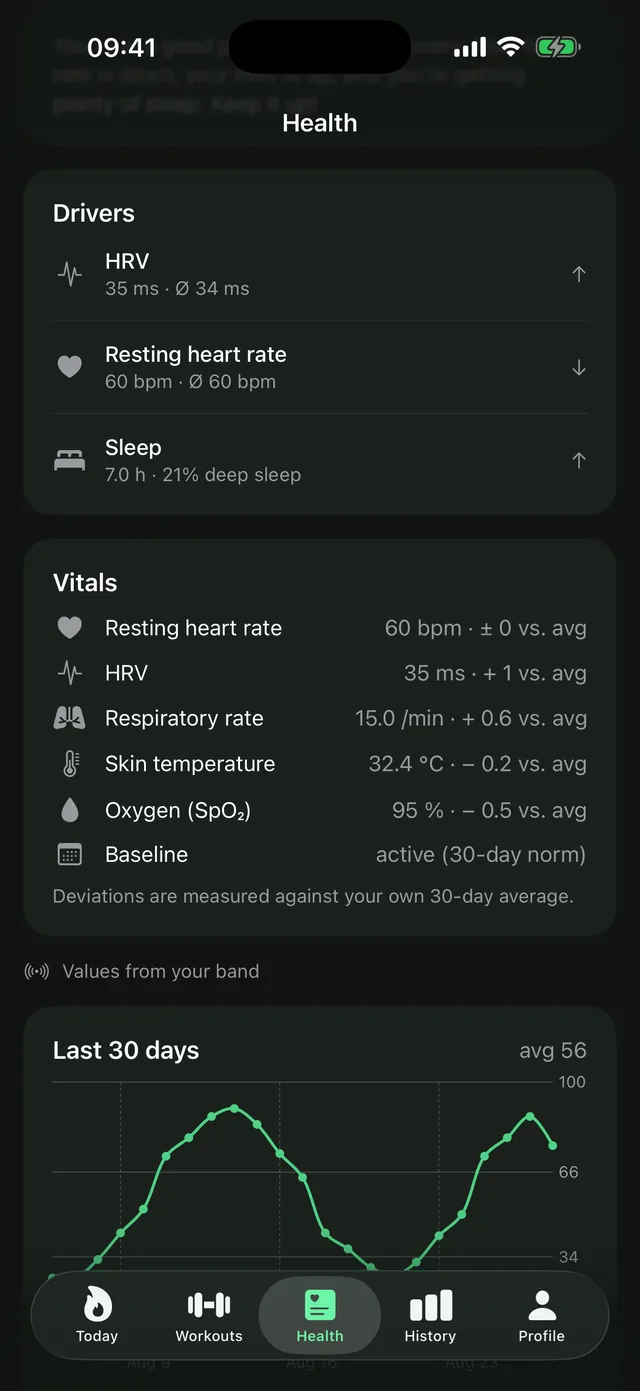
- The raw values stay on the device. Heart rate variability, resting heart rate, sleep stages, blood oxygen, respiratory rate, skin temperature, steps, battery level. No server in between — the analysis runs where the data already is.
- You can see whether it works. The app keeps a record of recent fetches, failures included. “Does this run without me?” is a question about a rate, not about a single tick mark.
Why you pick the source instead of mixing it
Watch and band measure the same thing with different methods: the Apple Watch writes SDNN, the band computes RMSSD, and resting heart rate is a daytime value on Apple and a night value on the band. If LeibFit simply took whatever was available, every change of source would look like a collapse in your recovery. So exactly one source counts for your night values, you choose it, and a switch visibly starts a new series. More on this: SDNN and RMSSD, side by side.
How we check that the numbers are right
Reading someone else's device means interpreting bytes — and an interpretation is worth something only once it breaks against a value from outside. So every series is checked against what the Zepp app shows for the same night:
- Blood oxygen: 16 out of 16 values identical.
- Respiratory rate: 13 breaths per minute at 06:28 — to the minute, and the whole overnight curve follows the same shape.
- HRV, resting heart rate, time in bed: matching across several nights (34 ms; 59 and 62 bpm; 440 and 377 minutes).
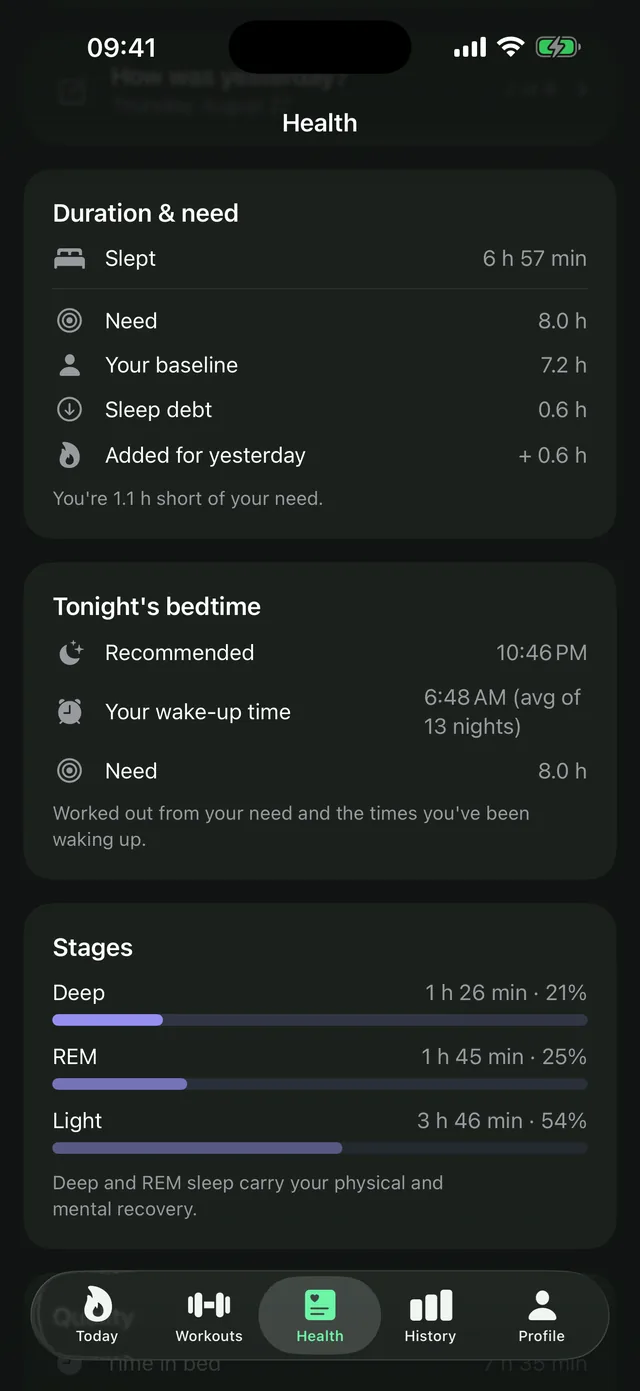
- Sleep stages: a single fetch returned eight consecutive nights. For the verified nights all four categories match exactly — 82 minutes deep, 269 light, 145 REM, 1 awake. And the span of the most recent night matches, to the minute, the time in bed from an entirely different answer in the same fetch: a cross-check that does not need the Zepp app at all.
- Skin temperature: the sampling grid is proven, the conversion into degrees is not — the Zepp app shows no temperature at all for this band, so there is nothing to check against. That is why only the deviation from your own 30-day average counts towards the assessment: a trend stays right even if the scale should be off by a factor.
Why we draw that line so hard is in our own error log: an earlier find looked like the respiratory rate for two days, because its average matched the Zepp app's overnight mean exactly. The curve did not match — our series sat still while the real one swings between 12 and 17. An average is not a verification. The right series was somewhere else entirely in the protocol.
And we do not take your data away from you
The protocol expects a fetch to be acknowledged — after which the band deletes the transferred data from its buffer. LeibFit deliberately does not acknowledge. The band keeps its buffer, and the Zepp app still receives the same values. The price is a slightly longer fetch, because it starts from the requested time every night. Worth it: an app that takes your own data away from you inside another app would not be an alternative, it would be a hostage situation.
Which Amazfit devices this means
The connection was built and verified on the Amazfit Helio Strap — the screenless band widely reviewed as a no-subscription Whoop alternative. Technically the whole Zepp OS family speaks the same protocol: the newer Helio Strap Pro as well as the Amazfit watches (Balance, GTR, T-Rex and relatives). Only the Helio Strap has actually been tested, and we claim nothing we have not seen ourselves.
Independently of that, this holds for any device that writes to Apple Health: that route works today — with an Apple Watch, Garmin, Polar, Withings, Oura or an Amazfit band. The direct link is the shortcut for Amazfit, not a requirement for LeibFit.
What it looks like in the app
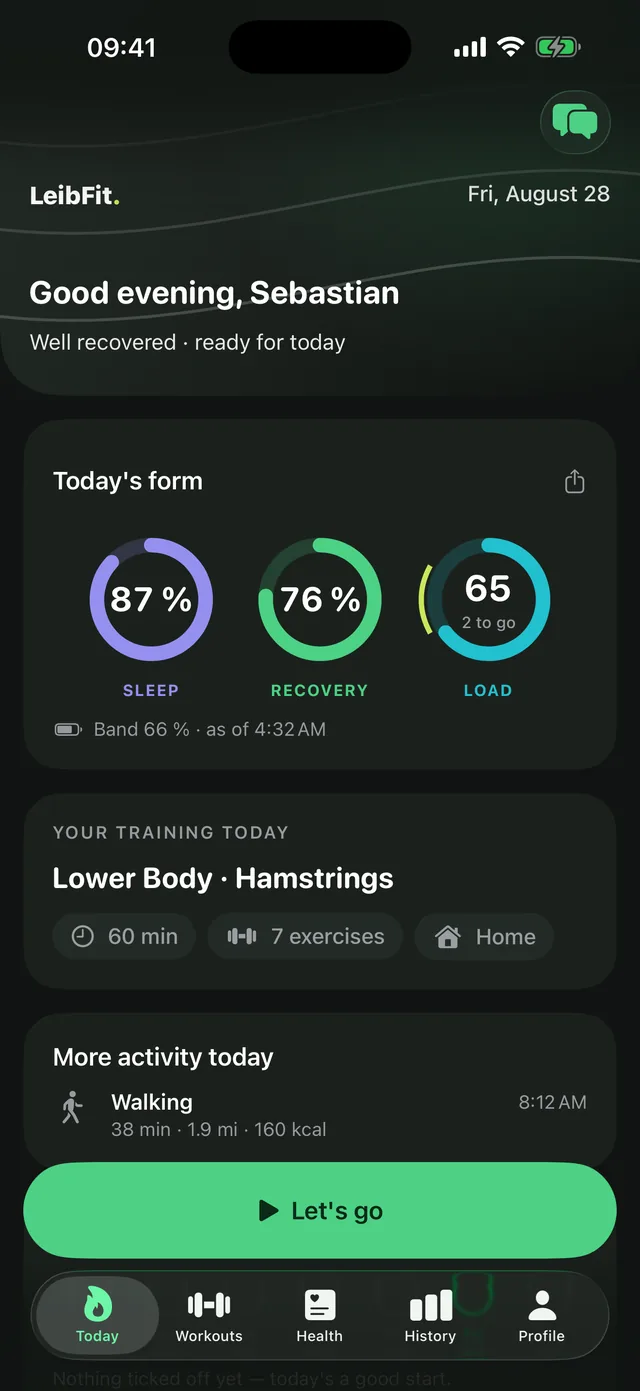
Screens from LeibFit 1.7, the current App Store version.